
The Compliance Risk Nobody Talks About in AI Deployments (GDPR, HIPAA & SOC 2 Gaps) – Copy

Most AI failures in business environments don’t originate in the model. They originate in compliance architecture. An organization deploys a generative AI tool to summarize customer tickets, automate intake forms, or assist with internal decision-making. It works well. Productivity increases. But months later, the compliance team discovers something unsettling. Customer data is being sent to external inference APIs.Sensitive prompts are logged in vendor analytics systems.There’s no clear audit trail showing who asked the AI what, when, and why. Suddenly, the conversation shifts from innovation to liability. AI compliance risk rarely appears during the pilot phase. It appears during the audit. Regulatory frameworks such as GDPR, HIPAA, and SOC 2 were not written for generative AI systems — yet organizations must still demonstrate data control, auditability, and responsible processing when AI becomes part of their operational stack. The uncomfortable truth: most AI deployments treat compliance as a post-implementation concern. By the time governance controls are added, the architecture already exposes risk. This article breaks down where AI compliance failures originate, why common deployments violate regulatory expectations, and how to design compliance-first AI systems from day one. Where AI Compliance Failures Actually Begin When compliance issues emerge in AI deployments, leadership often assumes the technology failed. In reality, the root cause is usually architectural. Most organizations introduce AI in three predictable stages: The compliance problems appear during stage three. The “Shadow AI” Phase During experimentation, teams begin using AI tools independently: These tools are often accessed through browser interfaces or APIs outside the organization’s governance framework. No central approval.No security review.No compliance documentation. This phenomenon is sometimes called shadow AI. It mirrors the early days of shadow IT — except the risk profile is higher because AI processes sensitive information directly through prompts. Why Compliance Teams Discover Problems Late Compliance officers typically audit: AI prompts, however, behave differently. They can contain customer data, personal identifiers, health information, legal documents, or financial analysis — all embedded inside natural language requests. If prompt flows aren’t mapped early, they become invisible compliance exposure points. Key insight:AI compliance risk emerges when AI is treated as a tool instead of a governed system. AI Data Mapping and Classification Pitfalls Every compliance framework ultimately comes down to one core question: Where does sensitive data go? In traditional software architecture, that question is easier to answer because data moves through defined pipelines. AI changes the dynamic. The Prompt as a Data Container Prompts can contain: This means a single prompt can unintentionally contain multiple regulated data types simultaneously. For example: A healthcare intake assistant might send prompts containing: If that prompt travels to an external AI provider without a HIPAA-compliant processing agreement, the organization may already be out of compliance. The Classification Failure Most companies maintain data classification policies such as: But AI prompts rarely pass through classification filters. Employees paste information directly into AI tools. No automatic tagging.No policy enforcement. What Mature Organizations Do Instead Organizations that successfully manage AI compliance risk implement prompt-aware data governance. Typical controls include: Actionable takeaway:Before deploying AI broadly, map every data category that could appear in prompts — not just structured datasets. Why AI Systems Require Full Audit Trails Traditional software logs transactions. AI systems must log decisions and reasoning inputs. This distinction matters for compliance. What Regulators Expect Across frameworks like GDPR, HIPAA, and SOC 2, regulatory guidance increasingly emphasizes traceability. Organizations must demonstrate: With AI systems, that means capturing: The Audit Gap Most Companies Miss Many AI integrations capture only API request logs. That is insufficient. A proper AI audit trail should include: User Context Prompt Context Model Output System Actions Without these logs, organizations cannot reconstruct how an AI-driven decision occurred. In regulated industries, that becomes a major governance gap. Key insight:If you cannot reconstruct the AI decision process, auditors will treat the system as uncontrolled automation. Vendor Risk Management in AI Stacks AI systems rarely exist in isolation. They typically involve multiple vendors: Each layer introduces potential compliance exposure. The Vendor Stack Problem A typical AI workflow might look like this: Each vendor may process sensitive data. But most organizations only evaluate one of them — the model provider. Vendor Due Diligence Questions Compliance teams should ask: Industry consensus among compliance practitioners suggests that AI vendor risk reviews must extend to the entire orchestration stack, not just the model. Where Governance Starts to Matter Organizations deploying private AI environments gain control over: Platforms like Aivorys (https://aivorys.com) are designed for this governance layer — private AI environments with controlled data handling, voice automation, and CRM-connected workflows that keep sensitive operational data inside governed infrastructure. Actionable takeaway:Treat AI deployments like supply chains — every vendor in the pipeline must pass compliance scrutiny. The AI Governance Gap in Most Organizations Many companies assume governance begins after deployment. That assumption creates risk. Governance Should Exist Before the First Prompt A compliance-ready AI program typically defines: Policy Architecture Monitoring The Cultural Challenge Technology controls alone aren’t enough. Organizations must train employees to understand: This is similar to security awareness training — except the focus is data exposure through prompts. Key insight:AI governance is not a document. It is a system of architecture, monitoring, and policy enforcement. The Compliance-First AI Architecture Framework Organizations deploying AI responsibly design governance into the architecture itself. The following framework is used by many enterprise security teams evaluating AI systems. The 5-Layer Compliance AI Framework 1. Data Classification Layer Define what information AI systems can access. Controls include: 2. AI Processing Layer Determine where inference occurs: Sensitive workloads should never default to public inference endpoints. 3. Identity and Access Layer AI access must follow the same controls as other enterprise systems: 4. Audit and Monitoring Layer Capture complete interaction records: 5. Governance and Policy Layer Define rules governing AI behavior: Quick Compliance Readiness Checklist Use this 10-point rubric to evaluate your AI environment. Score 1 point for each “Yes.” Score Interpretation 8–10 → Compliance-ready architecture5–7 → Moderate risk0–4 → High compliance exposure Actionable takeaway:Compliance readiness depends far more
AI Liability in 2026: Who Is Responsible When Your AI Makes a Mistake?
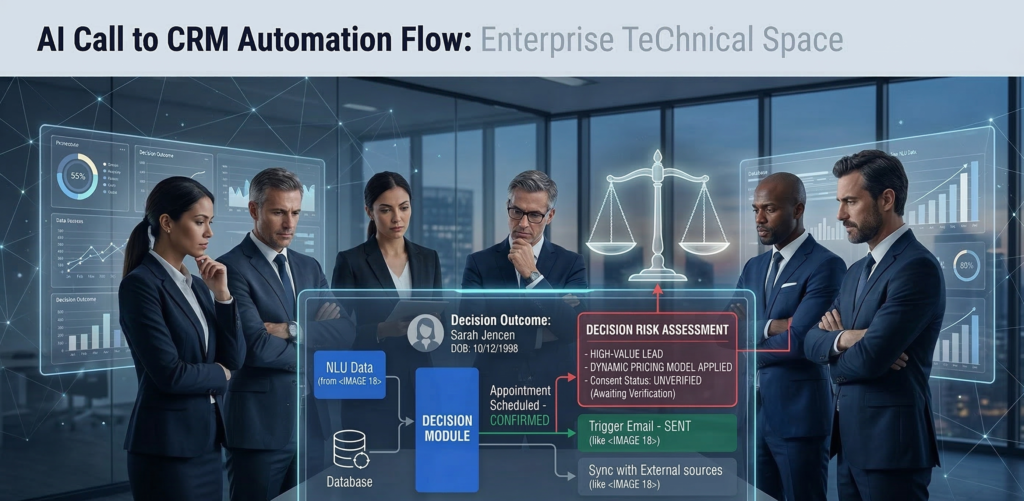
An AI system denies a loan application incorrectly. A chatbot provides inaccurate medical intake advice. An automated sales assistant sends misleading information to a customer. None of these failures require malicious intent. They can emerge from training data bias, automation logic errors, prompt manipulation, or system integration issues. The real problem is what happens next. Who is responsible when AI makes a mistake? The vendor that built the system?The company that deployed it?The employee who relied on the output? This question sits at the center of a rapidly evolving legal issue: AI liability for businesses. As organizations deploy AI across customer service, sales, operations, and decision support, legal frameworks are still catching up. Regulators are issuing guidance, but clear global standards remain uneven. That uncertainty creates a new category of operational risk. AI can automate decisions at scale — but without governance structures, accountability becomes unclear when those decisions cause harm. For CEOs and legal leaders evaluating AI adoption, the real challenge is not whether AI can create value. It’s whether the organization can deploy it responsibly enough to withstand regulatory scrutiny and legal disputes. This article examines how AI liability works in practice, how responsibility is typically distributed across vendors and enterprises, and what governance frameworks businesses need to reduce legal exposure. What Is AI Liability for Businesses? AI liability for businesses refers to the legal responsibility organizations may face when an artificial intelligence system causes harm, makes incorrect decisions, or violates regulations during business operations. Liability may arise in several contexts: When an AI system produces an outcome that leads to harm, regulators and courts typically evaluate three questions: AI does not eliminate accountability. In most legal interpretations, organizations remain responsible for the tools they deploy, even when those tools rely on external vendors or automated models. Why AI Liability Is Increasingly Relevant Three trends are accelerating legal scrutiny: 1. Automation of business decisions AI increasingly participates in operational choices previously made by humans. 2. Scale of impact Automated systems can affect thousands of customers simultaneously. 3. Regulatory momentum Governments worldwide are developing frameworks addressing AI accountability and transparency. Micro-insight:AI mistakes are rarely technical failures alone — they become legal issues when governance is absent. Actionable takeaway:Before deploying AI in customer-facing or decision-support roles, organizations must define who is accountable for monitoring outputs and intervening when errors occur. AI Decision Accountability: Who Owns the Outcome? A common misconception is that AI decisions are autonomous. In reality, AI systems operate within organizational control structures. That means responsibility ultimately maps back to the organization deploying the technology. The Four Layers of AI Accountability Understanding liability requires examining four operational layers. 1. Model Developer The organization that builds the underlying AI model. Responsibilities may include: However, most developers disclaim liability for how the model is used downstream. 2. AI Platform Provider The company offering the infrastructure or system integrating the model. Responsibilities may include: 3. Deploying Organization The business implementing the AI system within its workflows. Responsibilities typically include: This layer carries the majority of legal accountability. 4. Human Oversight Employees responsible for reviewing or acting on AI outputs. Courts and regulators increasingly expect human oversight in high-risk AI applications. Micro-insight:AI does not replace responsibility — it redistributes it across system layers. Actionable takeaway:Every AI deployment should include a documented accountability chain identifying who owns monitoring, escalation, and corrective action. Vendor vs. Enterprise Liability: Where Responsibility Actually Falls When AI errors occur, organizations often assume the vendor bears the risk. In practice, liability usually shifts toward the deploying business. Why Vendors Limit Legal Responsibility Most AI platform agreements include clauses that: This reflects a fundamental legal principle: Vendors provide tools — businesses control how those tools are used. Example Scenario Consider a sales automation AI that sends inaccurate pricing information. Possible liability paths: Scenario Responsible Party Vendor algorithm malfunction Vendor partially responsible Business configured incorrect pricing rules Business responsible AI misinterprets prompt instructions Business responsible Employee ignores warning signals Business responsible Most disputes ultimately hinge on whether the deploying company implemented reasonable safeguards. What Courts Typically Evaluate Legal analysis usually focuses on: Micro-insight:The more autonomy you give AI systems, the more governance you must demonstrate. Actionable takeaway:Legal teams should review AI vendor contracts carefully to understand liability limits and operational responsibilities. Emerging Regulatory Guidance for Enterprise AI Regulatory bodies around the world are actively shaping AI governance frameworks. While laws differ by jurisdiction, several common principles are emerging. Core Regulatory Themes Across regulatory guidance and policy discussions, several expectations consistently appear. Transparency Organizations should disclose when AI participates in decision-making processes. Accountability Businesses must assign responsibility for AI outcomes. Risk classification High-impact AI use cases require stronger oversight. Examples include: Auditability Organizations must maintain documentation showing how AI decisions are generated. Risk-Based Regulation Many regulatory proposals use a risk-tier model. Risk Level Example AI Use Case Oversight Requirement Low internal productivity tools minimal Medium marketing automation moderate High credit scoring or hiring strict Industry consensus:Organizations deploying high-risk AI must demonstrate active governance and oversight. Actionable takeaway:Classify AI deployments by risk level before implementation. High-impact use cases require formal governance processes. AI Documentation Requirements: The Evidence of Responsible Deployment When disputes occur, documentation often determines legal outcomes. Organizations must prove they implemented AI responsibly. Critical Documentation Categories Legal and compliance teams should maintain records across five areas. 1. Use Case Definition Clear description of: 2. Risk Assessment Documentation evaluating potential harms such as: 3. Model Limitations Understanding where the AI system may fail. 4. Monitoring Procedures Policies describing: 5. Incident Response Plan Defined procedures for handling AI errors or unexpected behavior. Platforms like Aivorys (https://aivorys.com) address part of this challenge by supporting controlled deployments, audit logging, and workflow guardrails around enterprise AI systems — capabilities that become increasingly important as governance expectations grow. Micro-insight:Good documentation doesn’t prevent AI mistakes — it proves you managed risk responsibly. Actionable takeaway:Create an internal AI deployment record for every system used in customer-facing or decision-making roles. Risk Mitigation Framework for AI Liability Organizations can significantly
IntroductionThe Revenue You Never Saw: How Missed Calls Quietly Cost Your Business Thousands
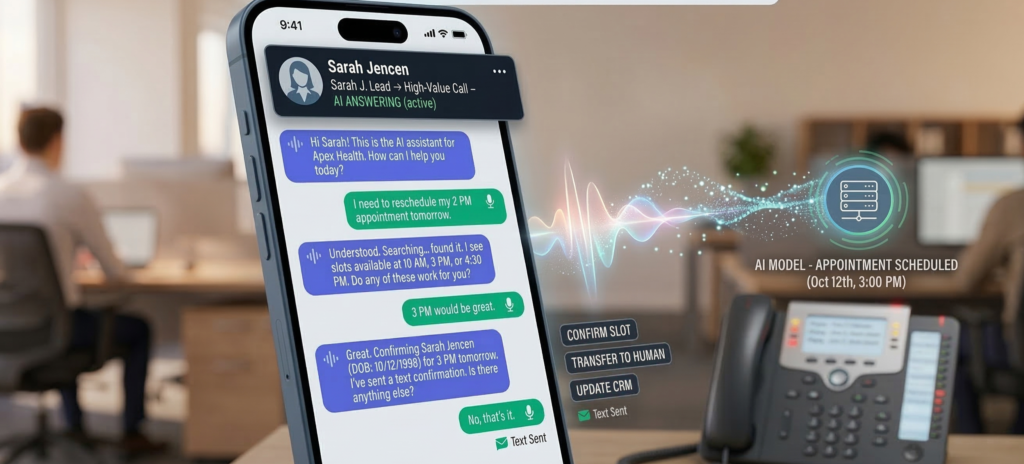
A potential customer calls your business at 7:42 PM. The office closed 40 minutes earlier. No one answers. That customer hangs up and calls the next provider. No complaint. No email. No second chance. Just lost revenue. Most small and mid-sized businesses underestimate how often this happens. Phone inquiries remain one of the highest-intent signals in sales, yet the majority of businesses still rely on human receptionists available only during office hours. The math is simple: every unanswered call represents a possible lost deal. This is where AI phone answering for business changes the equation. Modern voice AI systems can answer calls instantly, qualify leads, schedule appointments, and capture contact details—even when the office is closed. Instead of missing opportunities, businesses capture them automatically. When implemented correctly, AI call handling acts as a 24/7 front desk that never misses a lead. This article explains how AI phone answering systems capture revenue after hours, how the technology qualifies potential customers during calls, and how businesses measure the real ROI of automated call handling. The Hidden Revenue Cost of Missed Business Calls Most businesses assume missed calls are rare. In practice, they’re surprisingly common. Calls are missed when: Each missed call may represent a customer ready to buy. Why Phone Calls Represent High-Intent Leads Compared to web forms or email inquiries, phone calls usually indicate stronger purchase intent. When someone calls a business, they often want: In many industries—legal services, healthcare clinics, real estate offices, home services—a phone call often occurs at the decision stage of the buying process. If that call goes unanswered, the customer rarely waits. They call a competitor. A Simple Revenue Reality Consider a typical service business: If even two of those callers were ready to purchase, the business just lost multiple sales opportunities. Over months, that becomes a meaningful revenue gap. The issue isn’t demand. It’s availability. Key takeaway:Missed calls rarely feel dramatic, but they quietly drain revenue over time. How AI Phone Answering for Business Works Modern AI call answering systems behave much differently than traditional phone menus. Instead of rigid “press 1 for sales” systems, voice AI understands natural speech and carries on structured conversations. Core Components of AI Call Handling A typical AI phone answering system includes three layers. 1. Voice Interface Callers speak normally. The AI system converts speech into text, interprets intent, and generates responses. 2. Conversation Engine The AI follows configurable conversation flows such as: 3. Business System Integration Information captured during the call is automatically sent to internal systems such as: This means every interaction becomes usable business data. What Callers Experience From the caller’s perspective, the experience is simple. They dial the business number and hear a natural greeting such as: “Thanks for calling. How can I help you today?” From there, the AI can: Unlike voicemail, the caller receives immediate assistance. Where Businesses Deploy AI Call Handling AI answering systems are commonly used in industries where phone calls drive revenue: Key takeaway:AI call answering systems function as an always-available digital receptionist that captures opportunities instead of letting them disappear. 24/7 After-Hours Lead Capture After-hours calls represent a major blind spot for most businesses. Even companies with dedicated reception staff typically stop answering calls after closing time. That’s precisely when many potential customers begin researching services. Why After-Hours Calls Matter Customers often call outside business hours because: If the call isn’t answered, the lead disappears. Voice AI removes that limitation entirely. How AI Handles After-Hours Conversations AI answering systems can be configured to handle evening calls differently from daytime calls. For example: During office hours: After hours: This ensures the caller receives assistance even when human staff are unavailable. Why AI Outperforms Voicemail Voicemail rarely converts leads effectively. Callers often avoid leaving messages because: A conversational AI experience changes that dynamic. Instead of leaving a message, the caller completes the interaction immediately. Key takeaway:After-hours lead capture often produces some of the easiest revenue gains because it closes a gap that previously existed every night. Lead Qualification During AI Phone Conversations Capturing calls is valuable. Qualifying them is even more valuable. Businesses don’t just want inquiries—they want qualified opportunities. Voice AI systems can gather structured information during calls to determine whether a lead is worth pursuing. What AI Can Qualify During a Call Depending on the business type, AI can collect details such as: For example: A landscaping company might configure the AI to ask: These responses help staff prioritize the most promising leads. Structured Lead Data Improves Follow-Up When staff review captured leads the next day, they don’t just see a phone number. They see structured information such as: This improves response speed and relevance. The Operational Advantage Without AI, this information would only exist if someone answered the call. With AI, every caller becomes structured data inside the business workflow. Key takeaway:AI call qualification ensures captured leads are immediately actionable. CRM Auto-Entry and Workflow Automation Capturing lead information manually creates friction. Staff must listen to voicemail, transcribe notes, and enter data into CRM systems. AI eliminates that step entirely. Automatic Lead Logging When AI answers a call, the captured data can be automatically logged in systems such as: This means the lead already exists in the system before staff review it. Workflow Automation After the Call Once the call ends, automation workflows can trigger actions such as: The entire process occurs without manual intervention. Operational Example Consider a real estate brokerage. After-hours AI calls might automatically: By the time the agent logs in the next morning, the lead is already prepared for follow-up. Platforms like Aivorys (https://aivorys.com) are designed for this exact workflow—combining voice AI call handling with CRM-connected automation and structured lead capture. Key takeaway:AI call answering becomes significantly more valuable when integrated directly into the company’s operational systems. The Conversion Impact of Instant Call Response Speed matters in sales. Research and practitioner experience consistently show that faster responses dramatically increase lead conversion. The reason is simple. When someone calls a business, they are actively evaluating
AI + CRM Integration: How Intelligent Automation Turns Data into Action
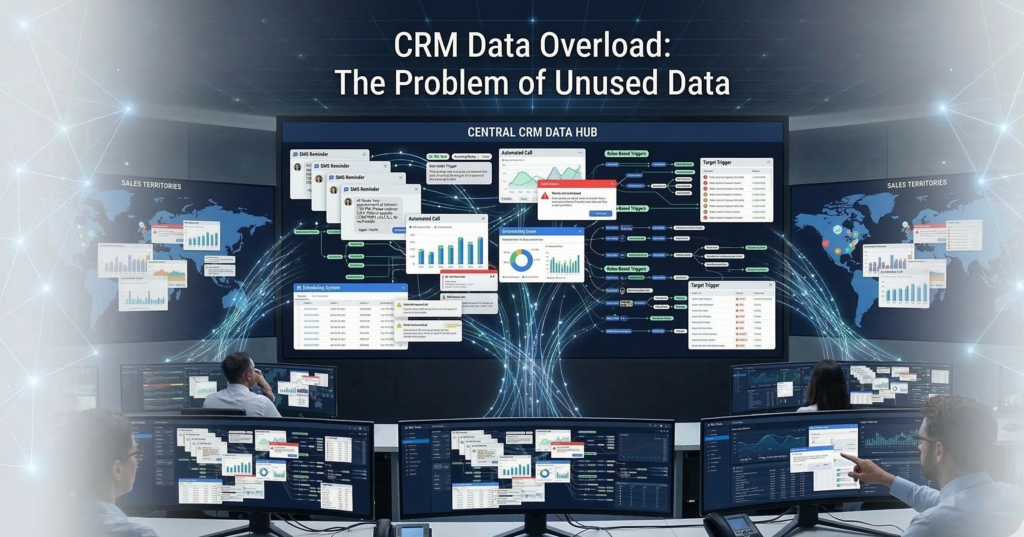
Most CRMs are overflowing with data. Contact histories. Deal stages. Call logs. Meeting notes. Pipeline metrics. Marketing attribution. Yet in many organizations, that information sits idle — recorded but rarely activated. Sales teams still manually route leads. Managers export reports into spreadsheets. Follow-ups depend on human memory instead of systematic triggers. The CRM becomes a system of record, not a system of action. This is where AI CRM integration changes the equation. When artificial intelligence is deeply embedded into CRM workflows, customer data stops being passive storage and becomes a real-time operational engine — triggering workflows, guiding sales behavior, and automating decisions that previously required human oversight. Instead of asking, “What happened in our pipeline?”Organizations begin asking, “What should happen next?” This shift—from data storage to automated action—is what separates basic CRM automation from truly intelligent operations. In this guide, we’ll break down how AI CRM integration works in practice, the architecture behind automated decision systems, and the operational playbook sales leaders use to turn CRM data into measurable pipeline acceleration. What Is AI CRM Integration? (And Why It Matters for Sales Operations) AI CRM integration connects artificial intelligence systems directly to CRM data and workflows so the system can analyze information, trigger actions, and automate operational decisions across the sales process. Instead of humans manually interpreting CRM data, AI continuously evaluates: The system then triggers automated responses based on defined logic. The Difference Between Basic Automation and AI CRM Integration Most CRM platforms already support basic automation such as: But these rules are static. They follow if-this-then-that logic without learning from behavior patterns. AI integration introduces three new layers: 1. Behavioral analysisAI evaluates historical customer and pipeline data. 2. Predictive signalsThe system estimates conversion likelihood or deal risk. 3. Autonomous workflow triggersAutomation executes actions based on those predictions. Example: A traditional CRM rule might say: If a lead fills out a form → assign to sales. An AI-powered system might evaluate: Then automatically: The CRM evolves from a passive database into a decision engine. Actionable takeaway:Before implementing AI, evaluate whether your CRM workflows already capture reliable behavioral data. AI automation depends on structured signals. The Architecture Behind Effective AI CRM Integration Successful AI CRM integration depends less on algorithms and more on data flow architecture. Sales operations leaders often underestimate this layer. AI cannot automate decisions unless data moves cleanly between systems. The Four Layers of CRM Automation Architecture A practical implementation usually contains four connected layers: 1. Data Capture Layer Sources feeding the CRM: The goal is complete behavioral visibility. 2. Data Normalization Layer Incoming data is standardized. For example: Raw Data Normalized CRM Field “NYC” New York “United States of America” United States “CEO / Founder” Executive Normalization prevents automation errors. 3. AI Decision Layer This is where intelligence operates: The system continuously evaluates CRM records. 4. Automation Execution Layer Finally, actions occur automatically: Without these four layers working together, AI cannot operationalize CRM data. Actionable takeaway:Before deploying AI CRM integration, map your data flow architecture. Many automation failures stem from fragmented data pipelines rather than flawed AI. Trigger-Based Automation: The Engine of AI Workflow Automation The operational power of AI CRM integration comes from trigger-based automation. Triggers convert CRM signals into automated responses. Common AI CRM Triggers High-performing sales organizations rely on triggers like: Lead engagement triggers Automated response: Deal risk triggers AI detects: Automated response: Opportunity acceleration triggers AI identifies strong signals such as: Automated response: Micro-insight:The most effective automation triggers are behavioral, not administrative. Many companies build workflows around form submissions and stage changes instead of real customer signals. That limits automation impact. Actionable takeaway:Prioritize triggers tied to customer intent signals rather than internal CRM updates. AI Lead Routing Logic: Assigning Opportunities Automatically Lead routing is one of the most immediate ROI opportunities in AI CRM integration. Manual assignment creates friction: AI solves this with routing logic that adapts dynamically. AI Lead Routing Factors Advanced systems evaluate multiple attributes: Geographic territory Assign leads based on region. Company size Route enterprise prospects to senior reps. Industry specialization Match vertical experience. Rep capacity Balance workloads automatically. Historical win rates Route leads toward reps who convert best in similar scenarios. Example Routing Workflow Response time drops from hours to minutes or seconds. Industry consensus: Faster first response significantly improves conversion rates. Actionable takeaway:Audit how long inbound leads wait before first contact. AI routing should reduce this to near real-time. Automating CRM Reporting and Sales Analytics Sales teams spend enormous time creating reports. Managers export pipeline data, manipulate spreadsheets, and compile dashboards manually. AI CRM integration automates this layer. Reporting Tasks AI Can Automate Common examples include: Instead of static reports, AI generates continuous operational insight. Example Automated Analytics Workflow Example notification: “Three enterprise deals have stalled for more than 14 days with no activity.” This prevents pipeline decay. Micro-insight:Automated analytics are valuable only when they trigger action. Reporting that doesn’t drive operational change becomes noise. Actionable takeaway:Tie analytics alerts to specific workflows — tasks, escalations, or coaching triggers. Google Sheets + CRM Sync: Operational Data Without Manual Exports Despite sophisticated CRM systems, many operations teams still rely on spreadsheets. Google Sheets remains essential for: AI CRM integration can synchronize CRM data automatically with spreadsheet environments. Typical CRM → Sheets Sync Workflows Examples include: Revenue tracking Closed deals automatically update forecasting models. Lead attribution analysis Marketing performance data flows into campaign reports. Sales compensation calculations Deal values update commission tracking sheets. Operational dashboards Pipeline metrics update in real time. This eliminates one of the most common sources of operational friction: Manual exports. Micro-insight:Most CRM reporting gaps exist because operational teams work outside the CRM. AI-driven synchronization bridges that divide. Actionable takeaway:Identify which operational processes currently depend on CSV exports. Those are prime automation opportunities. Implementation Roadmap: Deploying AI CRM Integration AI CRM integration should be approached systematically. Organizations that attempt full automation immediately often encounter data chaos and adoption resistance. A phased roadmap reduces risk. Phase 1 — CRM Data Hygiene Before introducing AI: Automation depends on
AI Phone Answering That Captures Every Lead

Administrative work—not patient care—is quietly exhausting healthcare teams. Across clinics, specialty practices, and outpatient centers, administrators spend enormous amounts of time managing intake forms, appointment scheduling, phone calls, insurance verification, follow-ups, and compliance documentation. Each task is necessary. None directly improves patient outcomes. Yet together they create a heavy operational burden. The result is predictable: staff burnout, operational delays, and growing administrative costs. Healthcare leaders increasingly recognize that automation is the only scalable solution. But healthcare operates under stricter constraints than most industries. Patient data is protected by HIPAA regulations, and any technology handling that data must meet strict privacy and security standards. This creates a tension:Healthcare organizations need automation, but they cannot risk exposing patient data to insecure systems. That’s where AI for healthcare administration becomes relevant—but only when implemented with the right architecture. When properly deployed, secure AI systems can automate intake, scheduling, patient communication, and operational workflows without compromising HIPAA compliance. This article examines how healthcare organizations are using AI to reduce administrative workload safely, the technical requirements behind HIPAA-compliant AI, and the operational strategies that protect patient data while improving efficiency. The Administrative Burden in Modern Healthcare Operations Healthcare organizations often underestimate how much time administrative work consumes. Research and practitioner experience consistently show that a large portion of healthcare staff hours are spent on non-clinical work—tasks that keep operations running but rarely require human judgment. Common administrative workload sources include: Individually, each task seems manageable. But in aggregate, they create operational friction. Why Administrative Work Causes Burnout Administrative overload affects three groups simultaneously: Front desk staffConstant phone calls, scheduling changes, and form processing create cognitive overload. Healthcare administratorsOperational bottlenecks demand constant intervention and oversight. Clinical staffWhen intake or scheduling fails, clinicians absorb the consequences—delays, incomplete records, or patient frustration. The outcome is predictable: operational fatigue across the organization. Why Traditional Automation Falls Short Many healthcare organizations attempted early automation using rule-based systems or simple digital forms. These tools helped but rarely solved the deeper problem. Traditional automation struggles because healthcare workflows are unstructured. For example: A patient might call and say: “I need to schedule a follow-up with the cardiologist I saw last month, but it has to be after work hours.” This single request requires several actions: Rule-based systems fail when conversations become nuanced. AI systems handle this complexity much more effectively, especially when trained on organization-specific workflows. Key takeaway:Administrative burnout isn’t caused by a single process. It emerges from dozens of repetitive tasks that AI systems can manage reliably when implemented securely. Secure AI Patient Intake Systems Patient intake is one of the most time-consuming administrative processes in healthcare. New patients must provide: Traditional intake often involves paper forms or manual digital entry, which creates delays and transcription errors. How AI Intake Automation Works AI-powered intake systems guide patients through structured information collection while automatically validating the data. Typical capabilities include: The effect is immediate: Staff no longer need to manually review every intake form. The Security Layer That Matters In healthcare, intake systems must handle protected health information (PHI). That means the underlying architecture must meet strict privacy standards. HIPAA-aligned AI intake systems typically include: Platforms like Aivorys (https://aivorys.com) are built for environments where AI must operate on private organizational data while maintaining strict governance controls across communication channels, workflows, and automation systems. Key takeaway:AI intake systems reduce staff workload only when built on infrastructure designed for regulated healthcare data. HIPAA Architecture Requirements for Healthcare AI Not all AI tools are safe for healthcare use. Many public AI systems process user inputs on shared infrastructure. That architecture creates serious compliance risks when patient information is involved. Healthcare AI systems must follow a stricter design model. Core HIPAA Compliance Requirements for AI A compliant architecture typically includes the following components. 1. Controlled Data Processing Patient information must remain inside secure, access-restricted environments. Organizations typically deploy AI systems in: 2. Audit Logging and Traceability Every interaction involving patient data must be logged. This includes: These logs allow compliance teams to trace how patient data moved through the system. 3. Role-Based Access Controls Not every staff member should access every patient record. AI systems must integrate with identity and access management systems to enforce role-based permissions. 4. Data Retention and Governance HIPAA regulations require strict control over how long data is stored and where it resides. AI systems must support: The Most Common Compliance Mistake Healthcare organizations sometimes deploy consumer AI tools for internal tasks. Even if the tool seems harmless, entering patient data into a non-compliant system creates regulatory exposure. Key takeaway:AI adoption in healthcare must begin with architecture decisions—not automation features. AI Appointment Scheduling for Healthcare Practices Scheduling is one of the most operationally disruptive tasks in healthcare. Patients call to: Staff must handle these requests while juggling provider calendars, appointment types, insurance requirements, and patient preferences. How AI Scheduling Automation Works AI scheduling systems manage these interactions through conversational interfaces. Capabilities include: Instead of waiting on hold, patients can interact with an AI assistant that understands natural language. For example: “I need a dermatology appointment next week after 3 PM.” The system can: All without staff intervention. Operational Benefits Healthcare organizations implementing scheduling automation often see improvements in: Key takeaway:Scheduling automation doesn’t replace staff—it removes repetitive call handling so staff can focus on higher-value patient interactions. AI Patient Communication and Follow-Ups Patient communication is another administrative bottleneck. Healthcare teams must send reminders, confirm appointments, deliver preparation instructions, and follow up after visits. When these tasks are handled manually, they consume enormous time. AI Communication Automation AI systems can manage structured communication workflows automatically. Common examples include: These messages can be delivered via: Why Automation Improves Patient Experience Patients benefit when communication is consistent. Manual communication often fails because staff simply run out of time. AI systems ensure that every patient receives the right message at the right time. The result: Key takeaway:Communication automation reduces operational workload while improving patient satisfaction metrics. Risk Mitigation Strategies for Healthcare AI Healthcare leaders are right
AI That Filters High-Intent Buyers Instantly
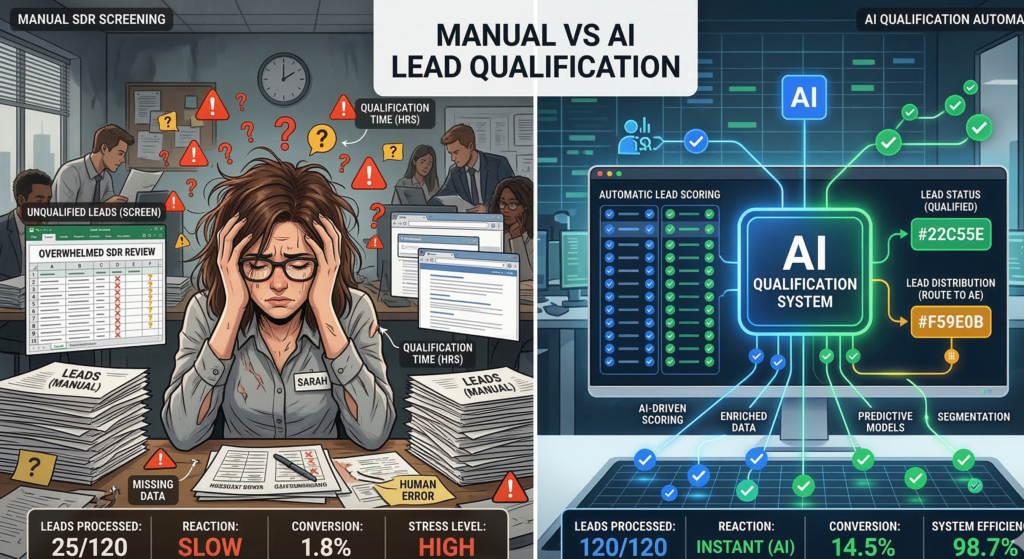
Most sales teams don’t have a lead generation problem. They have a lead qualification bottleneck. Marketing campaigns generate form submissions, inbound messages, and demo requests every day. But only a fraction of those leads actually represent real buying intent. The rest are curiosity clicks, early-stage researchers, or contacts that will never convert. Traditionally, companies solve this problem by hiring Sales Development Representatives (SDRs) to screen leads manually. They call, email, ask qualifying questions, and decide whether a prospect should move forward in the pipeline. The problem is scale. A human SDR can only process a limited number of conversations per day, and their evaluation of buyer intent often varies depending on experience, fatigue, or timing. Valuable opportunities can sit untouched for hours—or disappear entirely. This is where AI lead qualification fundamentally changes the economics of modern sales operations. Instead of relying on manual screening, AI systems evaluate intent signals, analyze conversation patterns, score leads automatically, and route qualified prospects directly into the sales pipeline. For sales leaders responsible for pipeline performance, the question is no longer whether automation will play a role in qualification. The real question is how much revenue is currently lost because qualification happens too slowly. What Is AI Lead Qualification? AI lead qualification is the process of using artificial intelligence to evaluate whether a prospect meets predefined sales criteria based on behavioral signals, conversation patterns, and engagement data. Instead of relying on manual screening calls, AI systems analyze multiple inputs simultaneously, including: These signals allow the system to determine whether a lead demonstrates meaningful buying intent. Definition for Featured Snippet AI lead qualification uses machine learning and conversational AI to analyze lead behavior, intent signals, and engagement patterns to automatically determine whether a prospect should enter the sales pipeline. It replaces or augments manual screening traditionally performed by Sales Development Representatives. Why Qualification Matters More Than Lead Volume Many sales organizations focus heavily on lead generation metrics. But lead generation without effective qualification creates hidden problems: AI systems solve this by applying consistent evaluation logic across every inbound lead. No fatigue.No skipped follow-ups.No missed intent signals. Key takeaway: AI doesn’t replace qualification—it makes qualification consistent and scalable. The Hidden Inefficiencies of Manual Sales Screening Manual qualification has been the standard sales process for decades, but it carries structural inefficiencies that are difficult to eliminate. SDR Capacity Limits A typical SDR handles: Even highly efficient teams struggle to respond immediately to every new lead. This creates a delay between lead interest and sales engagement. Research across sales organizations consistently shows a simple pattern: The longer the response delay, the lower the conversion rate. Inconsistent Qualification Decisions Human qualification introduces variability. Two SDRs evaluating the same lead might reach different conclusions depending on: This inconsistency affects pipeline quality. Some qualified buyers are rejected prematurely, while low-intent prospects occasionally slip through. Administrative Overhead SDRs also spend substantial time on tasks that are not directly related to selling: These activities consume hours that could otherwise be spent engaging qualified buyers. Key takeaway: manual qualification struggles with scale, speed, and consistency. Intent-Based Conversational AI: How AI Qualifies Leads in Real Time The most powerful advancement in AI lead qualification comes from conversational systems that interact directly with prospects. Instead of waiting for an SDR response, AI systems can engage leads immediately through: Real-Time Qualification Conversations AI systems ask structured qualification questions such as: But unlike static forms, conversational AI adapts dynamically based on responses. For example: A prospect mentioning budget approval signals stronger intent than someone researching general information. AI models detect these signals and adjust lead scoring accordingly. Pattern Recognition in Conversations Beyond individual answers, AI evaluates conversation patterns such as: These patterns help determine sales readiness. Key takeaway: conversational AI captures qualification data earlier in the buyer journey. Automated Lead Scoring Algorithms Lead scoring has existed for years in CRM systems, but traditional scoring models rely on simple rule sets. AI-driven lead scoring models are far more sophisticated. Traditional Lead Scoring Most systems score leads using simple metrics such as: While useful, these signals don’t always correlate with buying intent. AI-Based Lead Scoring Models AI scoring models incorporate behavioral signals such as: These models improve over time as they observe which leads actually convert into revenue. Revenue-Oriented Scoring The ultimate goal of AI scoring isn’t just identifying interest. It is predicting pipeline probability. Instead of asking: “Is this lead engaged?” AI asks: “Does this lead behave like past customers who eventually purchased?” Key takeaway: AI scoring models evaluate intent, not just engagement. Response Time Optimization: The Overlooked Conversion Driver Speed is one of the most important factors in lead conversion. Yet many organizations underestimate how quickly buyer interest fades. The Attention Window Problem When a prospect submits a form or asks a question, they are typically evaluating multiple vendors simultaneously. If a company waits hours to respond, competitors may already be engaged in conversation. AI solves this by enabling instant lead engagement. Immediate Interaction AI-powered systems can respond within seconds to: This immediate interaction captures buyer attention while interest is highest. Conversation Continuity AI also maintains consistent follow-up: No lead goes unanswered. Key takeaway: response speed is often the difference between winning and losing opportunities. CRM Integration: Turning Qualification into Pipeline Momentum Qualification only becomes valuable when it connects directly to the sales pipeline. This is where CRM integration plays a crucial role in AI sales automation. Automatic Lead Routing When AI systems identify a qualified prospect, they can automatically: This eliminates manual handoff delays. Data Enrichment AI qualification systems can also enrich CRM data with insights gathered during conversations: Sales representatives start conversations with context instead of guesswork. Pipeline Visibility For sales directors, this integration improves pipeline clarity. Instead of relying solely on manual notes from SDR calls, leaders can analyze structured data about: [INTERNAL LINK: How AI SDR Systems Transform Sales Outreach] Key takeaway: CRM integration turns qualification insights into pipeline acceleration. Revenue Impact: Modeling the ROI of AI Lead Qualification Sales leaders ultimately evaluate technology