

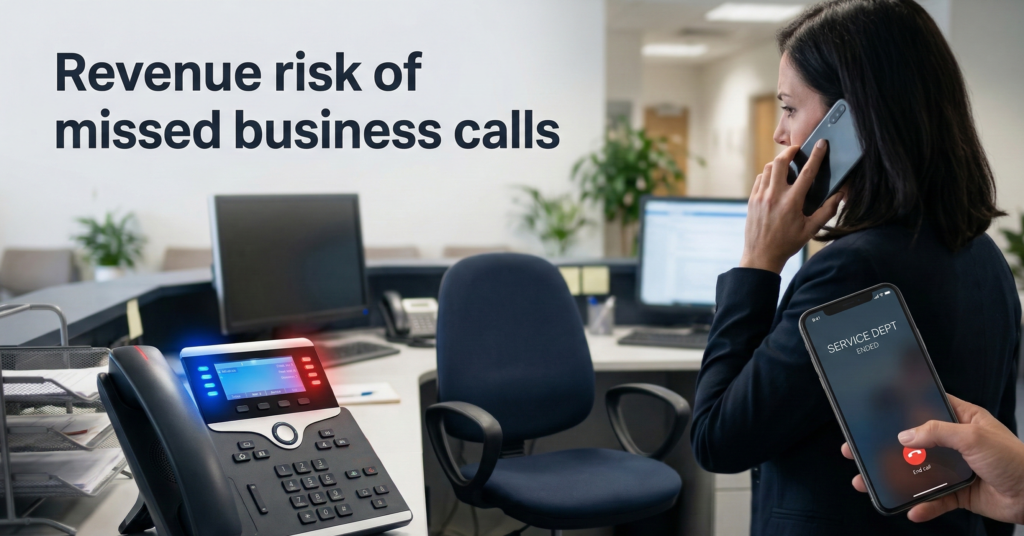
Missed calls quietly drain revenue.
A potential client phones your office. It rings during lunch, after hours, or while your front desk is already helping someone else. The caller hangs up after 20 seconds and contacts the next business on Google.
Most owners never see that lost opportunity.
This is the operational problem that the AI receptionist for business category is designed to solve: consistent call handling, automatic lead capture, and unlimited availability without adding payroll overhead.
But the decision isn’t simply “AI vs human.”
It’s about cost structure, reliability, risk exposure, and scalability as your business grows.
A traditional front desk offers warmth and contextual judgment—but it also introduces availability limits, training overhead, and human variability.
AI reception systems flip the model. Instead of staffing coverage hours, they automate call answering, qualification, and routing using voice AI systems that operate continuously.
The real question for business owners isn’t whether AI can answer phones.
The question is:
Where does AI outperform humans operationally—and where should humans still remain in the loop?
This guide breaks down the decision through five critical lenses:
- True cost structure
- Availability and coverage
- Lead qualification accuracy
- Multilingual communication
- CRM and workflow integration
- Long-term scalability
By the end, you’ll have a clear framework to determine when an AI receptionist becomes operationally superior—and when a human front desk still makes sense.
The Real Cost of a Human Front Desk vs AI Receptionist
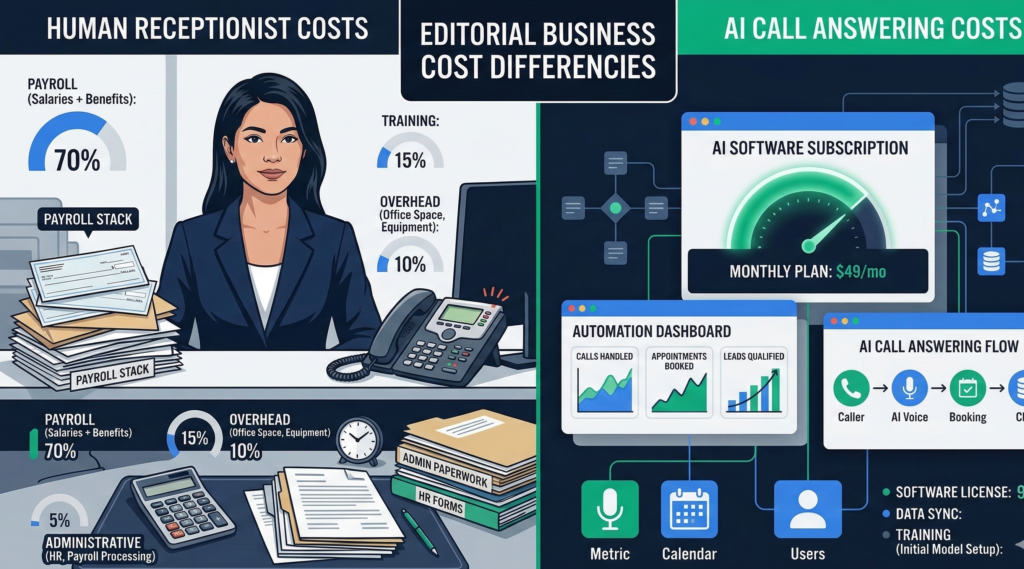
Most cost comparisons between humans and automation are overly simplistic.
They compare salary vs software subscription, ignoring the full operational footprint of a front desk role.
A realistic breakdown includes five cost layers.
Human Front Desk Cost Structure
Typical small-business front desk expenses include:
Direct costs
- Salary or hourly wages
- Payroll tax
- Benefits
- Paid leave
Operational costs
- Training time
- Turnover and hiring
- Sick coverage
- Scheduling management
Hidden opportunity costs
- Missed calls during busy periods
- After-hours call loss
- Inconsistent lead capture
A typical small-business receptionist can cost:
| Expense Category | Annual Estimate |
|---|---|
| Salary | $35k–$50k |
| Payroll taxes & benefits | $7k–$15k |
| Hiring / turnover | $2k–$5k |
| Coverage gaps / missed leads | variable |
Total realistic cost:
$45k–$70k per year.
And that still limits call coverage to scheduled hours.
AI Receptionist Cost Structure
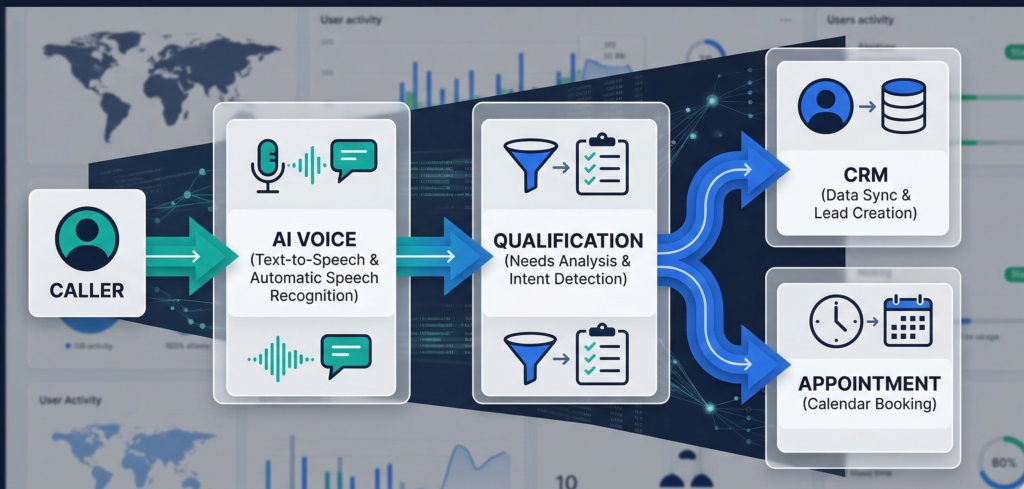
AI reception systems typically operate under a usage or subscription model.
Typical expenses include:
- Platform subscription
- Call minutes
- integration setup
- CRM or workflow connectors
Annual cost typically ranges:
$1,200 – $8,000 depending on volume and capabilities.
That gap explains why adoption has accelerated in service-heavy industries like:
- legal firms
- real estate brokerages
- medical practices
- home services
- logistics dispatch
Key takeaway:
The cost difference between human and AI reception often exceeds 10× annually, even before factoring missed-call revenue loss.
Availability: The 24/7 Advantage of AI Phone Answering
Human receptionists operate within time boundaries.
AI does not.
This difference seems small operationally but has massive revenue implications.
Where Businesses Lose Calls
Research and industry call analytics consistently show three major loss windows:
- After business hours
- During peak call bursts
- During lunch or shift changes
Even well-staffed offices cannot guarantee instant response during those moments.
Callers behave predictably:
If a phone rings longer than ~20–30 seconds, they move on.
How AI Receptionists Change the Model
Voice AI systems answer instantly and can:
- greet callers
- collect intent
- qualify the lead
- route calls
- schedule appointments
- send follow-up texts
All without waiting for staff availability.
This transforms phone coverage from “staff coverage hours” to “continuous operational intake.”
Example Scenario
A plumbing company receives 60% of emergency calls outside business hours.
With a traditional front desk:
- calls go to voicemail
- callers contact the next provider
With an AI receptionist:
- call answered instantly
- issue categorized
- technician dispatched
Operational impact:
More captured revenue without hiring night staff.
Key takeaway:
Availability alone can justify AI adoption if your business receives high-value calls outside office hours.
Lead Qualification: Where Automation Can Be More Consistent
Humans excel at empathy and improvisation.
But consistency is not always their strength.
Front desk staff often vary in how they:
- ask intake questions
- capture information
- qualify prospects
- log data in CRM systems
AI reception systems solve this through structured conversational workflows.
How AI Lead Qualification Works
A voice AI receptionist typically follows a programmed intake path:
- Identify caller intent
- Ask qualifying questions
- Capture contact information
- Log data in CRM
- Route call or schedule follow-up
Every caller receives the same structured process.
Example Intake Flow
For a legal firm:
- “What type of case are you calling about?”
- “When did the incident occur?”
- “Were there any injuries?”
- “Can I confirm your phone and email?”
This ensures that every lead enters the system with usable data.
Human receptionists frequently skip or misrecord these details during busy periods.
The Operational Advantage
Consistency increases lead conversion rates.
Sales teams receive:
- qualified prospects
- structured information
- automatic CRM records
Instead of scribbled notes or incomplete call logs.
Platforms like Aivorys are built specifically around this workflow model—combining private AI voice handling with CRM-connected intake systems so every call becomes structured operational data rather than an isolated conversation.
Key takeaway:
AI improves lead qualification through process consistency, not conversational superiority.
Multilingual Communication Without Staffing Complexity
Language coverage is one of the most underrated advantages of AI reception.
Many businesses operate in regions where multiple languages are common among customers.
Hiring multilingual staff introduces several challenges:
- higher salary expectations
- limited candidate pools
- coverage gaps when specific staff are absent
AI voice systems can handle multilingual interaction by default.
Common Language Use Cases
Businesses frequently deploy AI receptionists to support:
- Spanish / English callers
- Arabic / English communication
- French / English support
- regional dialect handling
Real Operational Benefit
Instead of hiring separate staff for each language, AI systems detect caller language and switch automatically.
Example flow:
Caller: Spanish
System: responds in Spanish
Lead captured and logged in CRM in structured format.
Staff can later handle follow-up calls with full context.
Key takeaway:
Multilingual AI reception eliminates staffing complexity while expanding accessibility to new customers.
CRM Integration: Turning Calls into Structured Business Data
The biggest operational difference between AI and human receptionists is data capture.
Traditional call handling often ends like this:
- receptionist takes notes
- information written on paper
- lead manually entered into CRM (sometimes)
Important details frequently disappear.
AI reception systems treat every call as data ingestion for the business.
What Gets Captured Automatically
Modern AI call handling platforms log:
- caller identity
- call reason
- qualification responses
- appointment requests
- call transcripts
- call outcomes
CRM Integration Examples
Common integrations include:
- HubSpot
- Salesforce
- Zoho
- custom CRM systems
- Google Sheets pipelines
Once connected, every phone conversation becomes structured CRM activity.
Operational Impact
Sales and operations teams gain:
- searchable call transcripts
- lead source tracking
- automated follow-ups
- pipeline analytics
Human receptionists rarely maintain this level of documentation consistently.
Key takeaway:
AI reception converts phone calls into structured operational intelligence, not just conversations.
Long-Term Scalability: Where Human Models Break Down
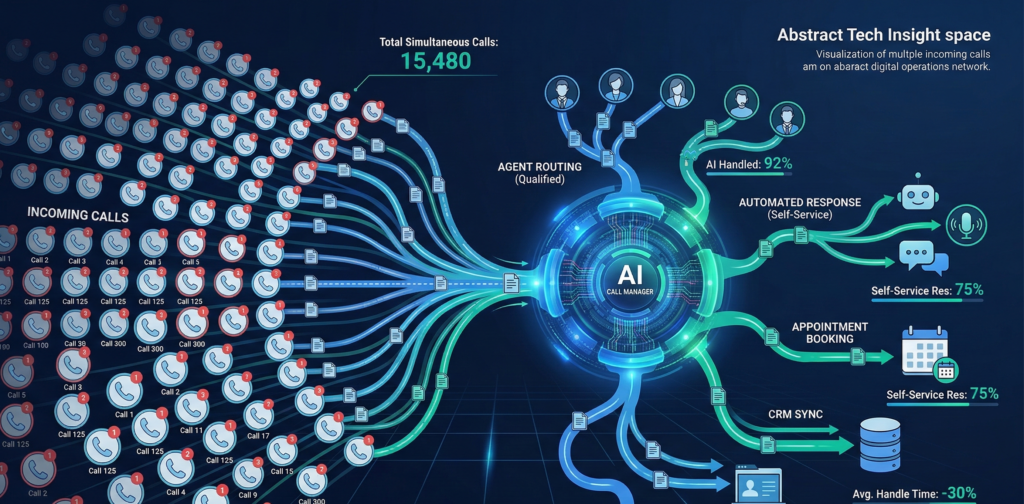
Human staffing models scale linearly.
More calls → more employees.
AI reception scales differently.
More calls → higher system usage, but no hiring.
Human Scaling Model
To handle increased call volume:
- hire additional receptionists
- train them
- coordinate schedules
- maintain quality control
This creates management overhead.
AI Scaling Model
AI call systems can handle thousands of concurrent interactions.
Scaling often requires only:
- increased usage tier
- workflow updates
- routing adjustments
This is particularly valuable for businesses experiencing:
- seasonal demand spikes
- marketing campaign surges
- rapid growth
Example
A real estate brokerage launches a marketing campaign generating 5× call volume.
Human desk:
- overwhelmed
- missed calls
- frustrated staff
AI receptionist:
- answers every call
- qualifies inquiries
- schedules property tours automatically
Key takeaway:
AI reception scales elastically with demand—human reception requires operational expansion.
Decision Framework: When an AI Receptionist Makes Sense
The most practical approach is not replacing humans entirely.
It’s deciding where automation should handle intake.
Use this evaluation checklist.
AI Receptionist Fit Score
Rate each factor from 1–5.
| Factor | Score |
|---|---|
| After-hours calls are common | |
| Missed calls impact revenue | |
| High call volume | |
| Repetitive intake questions | |
| Need multilingual support | |
| CRM lead tracking required | |
| Seasonal call spikes |
Interpretation
Score 20–35:
AI receptionist likely delivers strong operational ROI.
Score 12–19:
Hybrid model recommended (AI intake + human follow-up).
Score below 12:
Human front desk may remain sufficient.
The Hybrid Model (Most Common)
Many businesses deploy AI to handle:
- initial call answering
- qualification questions
- scheduling
- after-hours coverage
While humans handle:
- complex discussions
- high-value client interactions
- escalation scenarios
Key takeaway:
The best deployments combine AI intake efficiency with human judgment.
FAQ: AI Receptionists for Business
What is an AI receptionist for business?
An AI receptionist for business is a voice automation system that answers phone calls, interacts with callers conversationally, captures information, and routes or schedules requests. Unlike voicemail or IVR menus, AI receptionists use conversational AI to ask questions, qualify leads, and log data directly into business systems like CRM platforms.
Are AI receptionists reliable for handling customer calls?
Modern voice AI systems are designed to handle structured interactions reliably, particularly for tasks like intake questions, scheduling, and routing. Reliability depends on well-designed workflows and guardrails. Complex conversations or sensitive situations typically route to human staff, creating a hybrid system that balances automation with human oversight.
How much does an AI receptionist cost?
Costs vary depending on call volume and integrations, but most AI receptionist systems range from $100 to $700 per month for small businesses. Compared to hiring a full-time receptionist, the cost difference is substantial—especially when considering 24/7 coverage and automated lead capture.
Can AI receptionists integrate with CRM systems?
Yes. Most AI phone answering platforms integrate with CRM tools like Salesforce, HubSpot, Zoho, and custom systems. Calls can automatically create leads, log transcripts, update contact records, and trigger follow-up workflows such as emails or SMS messages.
Do customers notice they are talking to AI?
Many callers recognize they are speaking with an automated assistant, especially when the system introduces itself clearly. In most business scenarios—such as scheduling, routing, or intake—customers care more about speed and accuracy than whether the voice is human.
Are AI receptionists secure for sensitive business information?
Security depends on the deployment model. Enterprise-grade systems often support private cloud or on-premise hosting, encrypted call data, and access controls. Businesses operating in regulated industries should evaluate governance features such as audit logs and data residency controls.
Conclusion
The conversation around AI receptionists often starts with technology.
But the real question is operational.
How reliably does your business capture opportunities when customers reach out?
Human front desks bring empathy and situational judgment, but they also introduce availability limits, cost overhead, and process variability.
AI reception systems reverse those constraints:
- instant response
- structured intake
- continuous availability
- scalable call handling
- CRM-connected data capture
The most effective organizations don’t treat this as an AI vs human debate.
They design a system where automation handles predictable intake tasks, freeing human teams to focus on high-value conversations that require context and judgment.
As voice AI continues improving, the businesses that benefit most will be those that treat phone calls not just as conversations—but as operational infrastructure.